Open for client projects · Navi Mumbai, India

Useful software.
Yours by default.

I’m Dev Bhamaria, a freelance developer in Navi Mumbai. I build websites, web apps and offline AI tools for clients, and open-source tools that do serious work locally.

The principle

Software should be powerful without becoming extractive.

01 / Selected work

Proof, not promises.

01

IHatePDF

Offline PDF toolkit
Web + Windows
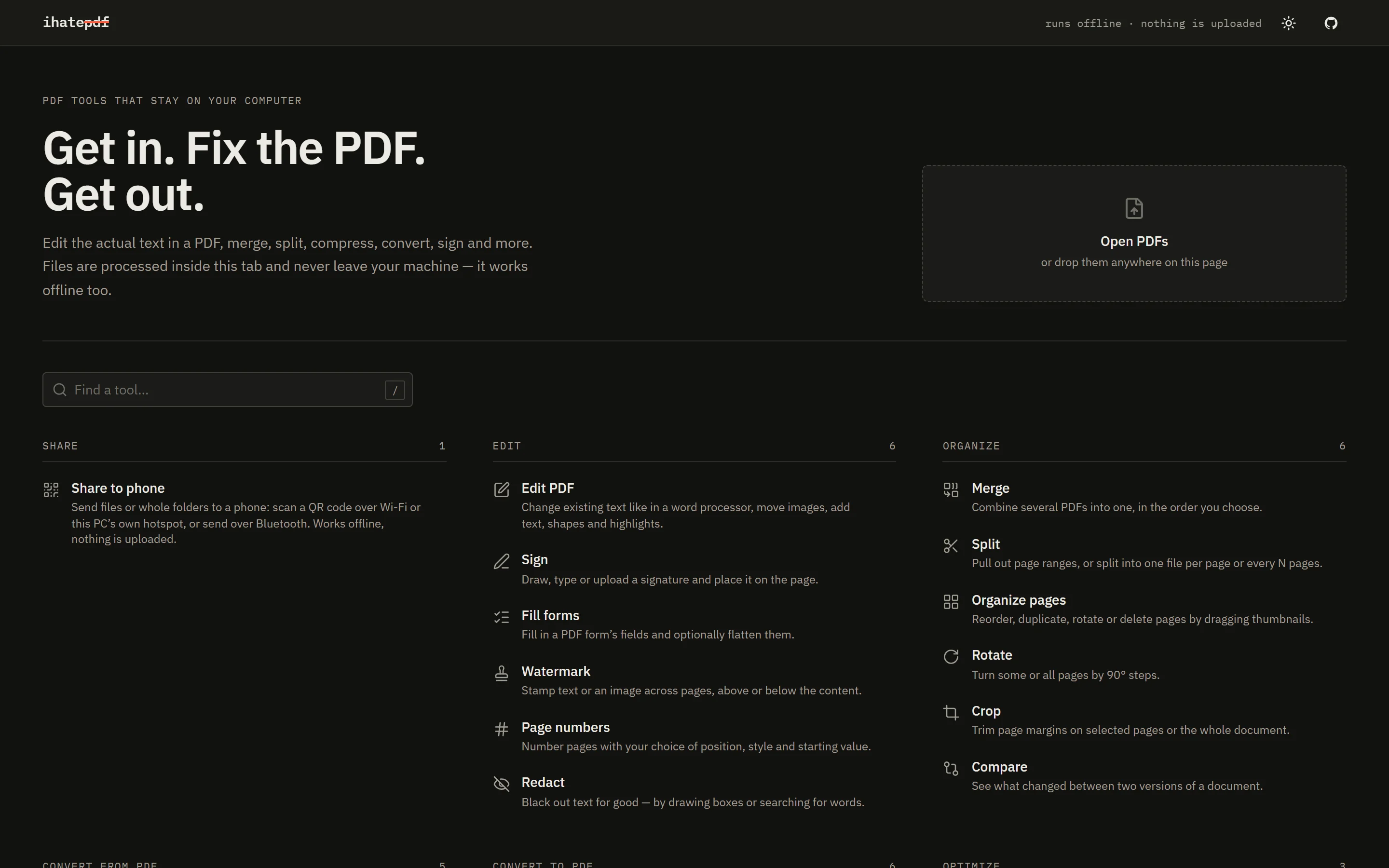
IHatePDF application home screen with locally processed PDF tools

A 28-tool PDF workspace that runs in the browser or as a Windows app. Files stay on the machine because there is no upload service behind it.

28
local PDF tools
35.5 → 1.95 MB
scan compression test
0
network requests in test

Built around browser-native processing, WebAssembly, and deliberately tested low-memory behavior. The project has public test evidence rather than a vague privacy claim.
React · TypeScript · WebAssembly · Electron · pdf-lib · pdf.js

02

Wisperno Pro

Local dictation for Windows
GPU accelerated

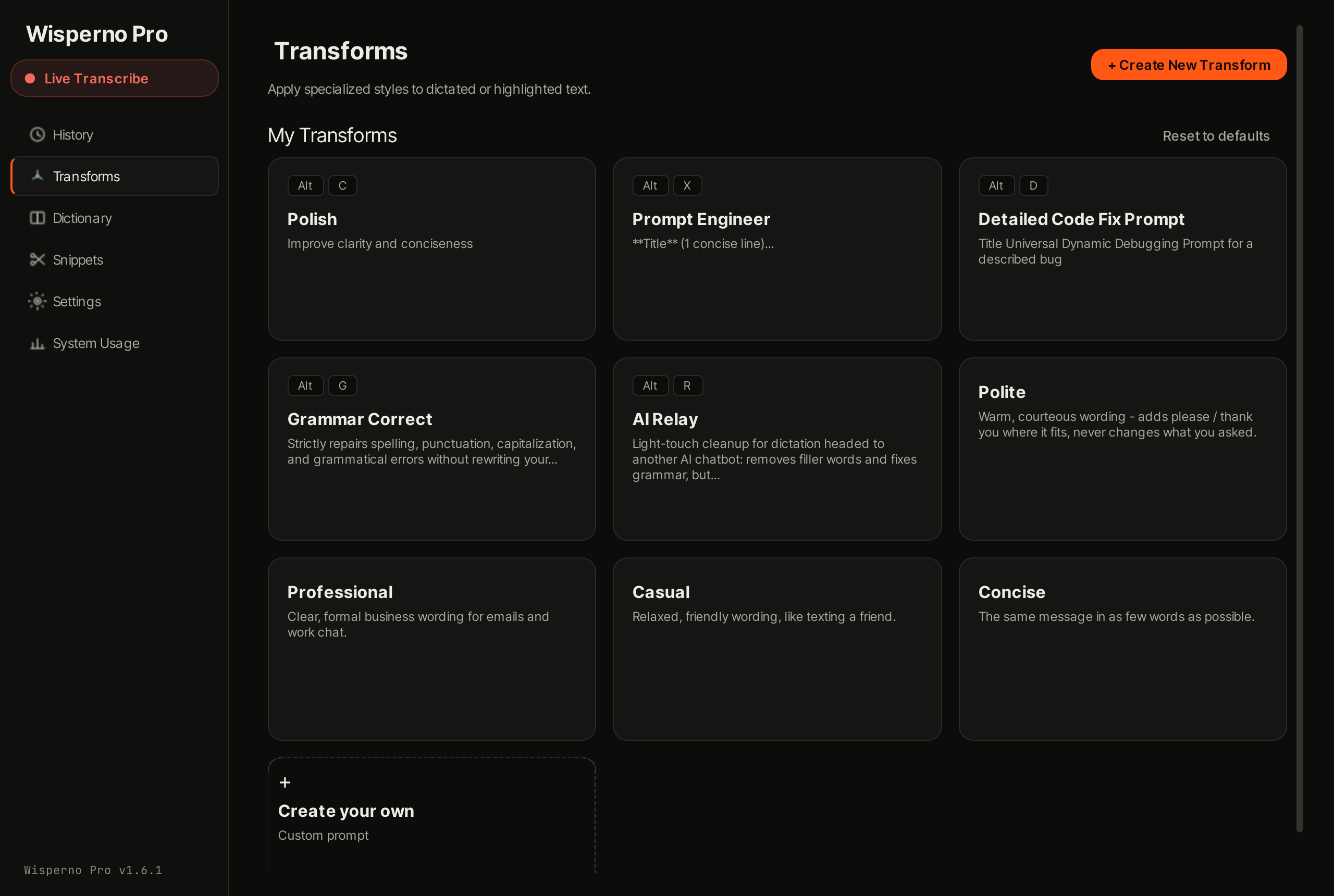
Wisperno Pro local dictation application showing text transform options

Push to talk, dictate, and keep working. Speech recognition and cleanup run on a local GPU; the resulting text returns directly to the active app.

0.85 s
per 100 words
< 4 GB
VRAM on default preset
98.3%
cleanup accuracy

The real challenge was building an assistant that feels instant without quietly exporting sensitive voice data. The interface includes local history, a custom dictionary, reusable snippets, and controllable text transforms.

Python 3.12 · PySide6 · CUDA · faster-whisper · llama.cpp

03

Jarvis

Offline voice assistant
Windows

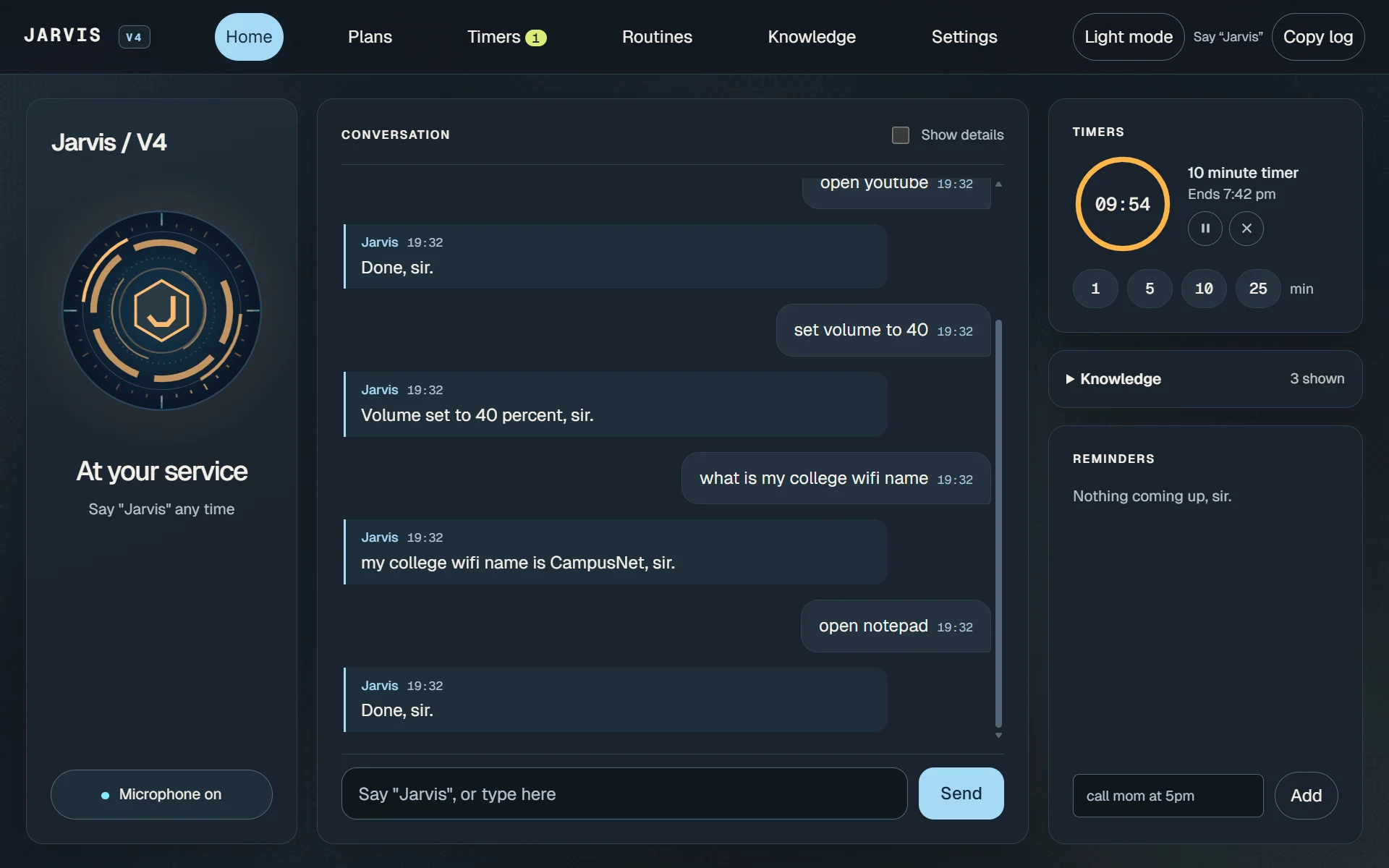
Jarvis voice assistant home screen with a conversation, a running timer and the living reactor

Say “Jarvis” and it opens apps, clicks what is on screen, sets timers and reminders, and remembers things for you. Listening, understanding, voice and memory all stay on one Windows laptop.

650 ms
speech to action
42 ms
click on screen
~4 GB
graphics memory

Plain rules handle everyday commands in milliseconds, and a small local model is only used for messy speech. After acting, Jarvis checks the result before it says it is done, and risky actions need a spoken yes. From V1 to V4 it grew from voice commands to reading the screen by name.

Python 3.12 · faster-whisper · llama.cpp · Kokoro · pywebview · UI Automation

02 / Pricing

Pick a starting point.

For businesses

Website

A fast site that explains what you do and brings in enquiries.

from₹15,000

Typically 1 to 2 weeks

What’s included
  • Up to 5 pages, designed around your content
  • Mobile-first, fast, and ready for Google
  • Enquiry form or WhatsApp button
  • Two rounds of revisions
  • You own the code and the domain
Start a website ↗

For founders

Web app or MVP

Your core idea as a working product you can put in front of users.

from₹40,000

Typically 3 to 5 weeks

What’s included
  • One complete workflow, end to end
  • Logins, database, and one integration
  • A working demo every week
  • Tested, deployed, and documented
  • Full source code handoff
Scope an MVP ↗

My specialty

Offline AI tool

A Windows tool that runs AI on your own hardware. Your data never leaves the building.

from₹75,000

Typically 4 to 6 weeks

What’s included
  • One workflow: speech, documents, or search
  • Local models matched to your hardware
  • No cloud bills, no per-use fees
  • Installer your team can run
  • Benchmark notes and documentation
Plan an offline tool ↗

Something custom, or not sure yet?

Email me for more details. Tell me what you are building and I will tell you what it takes.

Email me ↗

03 / How I work

Good software earns trust in the details.

Every project runs in the same five steps. How long each one takes depends on the project: a website is usually 1 to 2 weeks, an offline AI tool up to 6.

01

Define

We pin down who it is for, what done looks like, and the real limits: budget, deadline, devices, privacy.

You getA one-page brief with fixed scope, price, and delivery date.

02

Design

Screens or a clickable prototype before any code, while changes are still cheap.

You getA prototype you can react to and approve.

03

Build

Built in weekly milestones. You see working software every week.

You getA live link or build to try each week.

04

Verify

Tested on real devices. Offline AI is benchmarked on your actual hardware, and known limits are written down.

You getTest notes, benchmark results, and a closed fix list.

05

Hand over

Deployed, documented, and walked through with you. Two weeks of fixes are included.

You getSource code, docs, and everything you need to run it without me.

04 / About

A builder with a bias for ownership.

DB.

Based in
Navi Mumbai

I’m Dev Bhamaria, a freelance developer in Navi Mumbai. Clients hire me to build websites, web apps and offline AI tools. I’m also a BCA student at D Y Patil Deemed to be University, building open-source tools alongside my coursework. My interests sit where product thinking meets systems work: local AI, thoughtful interfaces, browser capabilities, and software that lasts.

05 / Questions

Have questions?

If yours is not here, email me.

How much does a website cost?

Websites start at ₹15,000 and usually take 1 to 2 weeks. That covers up to 5 pages designed around your content, a mobile-first and fast build, an enquiry form or WhatsApp button, two rounds of revisions, and you own the code and the domain. The final price depends on the scope and is agreed in writing before work starts.

How much does a web app or MVP cost?

Web apps and MVPs start at ₹40,000 and typically take 3 to 5 weeks. That covers one complete workflow end to end, logins, a database and one integration, a working demo every week, testing, deployment, documentation, and a full source code handoff.

What is an offline AI tool, and what does it cost?

An offline AI tool is a Windows program that runs AI models on your own hardware, so your data never leaves your machines. These start at ₹75,000 and typically take 4 to 6 weeks. That covers one workflow (speech, documents, or search), local models matched to your hardware, no cloud bills or per-use fees, an installer your team can run, and benchmark notes and documentation. Wisperno and Jarvis are examples I built.

How does payment work?

You pay 50% to start and 50% on delivery. You get the final price in writing before any work begins, and it does not change unless the scope does. Two weeks of fixes after delivery are included. All prices are in INR.

Where are you based?

I am a freelance developer in Navi Mumbai, India.

You are a student. Will my project get finished?

Yes. Scope and dates are fixed in writing, you see a working demo every week, and half the payment is due only on delivery. IHatePDF and Wisperno are public, with source code and test reports you can check.

Will I own the source code?

Yes. Everything built for you is yours at handoff. Open-source libraries I use keep their own licenses, and I list them for you.

Can the price change after we agree?

Only if the scope changes. Listed prices are starting points. Once we agree on a quote in writing, that is the price.

What is not included in the price?

Hosting, domains, paid APIs, and software licenses are billed at cost, with no markup. Maintenance after the two-week fix window is quoted separately.

Can you work on something that already exists?

Yes. Send me the current product and the problem. I review it first, then quote a focused fix, feature, or rebuild.

06 / Contact

Have a difficult
thing to make?

Taking client projects and open to hiring opportunities. Tell me what you need in two lines and I will reply within 1 to 2 business days.

Send me a message ↗

Prefer email? dev.bhamaria@gmail.com

Technical notes

The deeper work, when you want it.

Screenshots, engineering notes, and measured results live inside each project above.

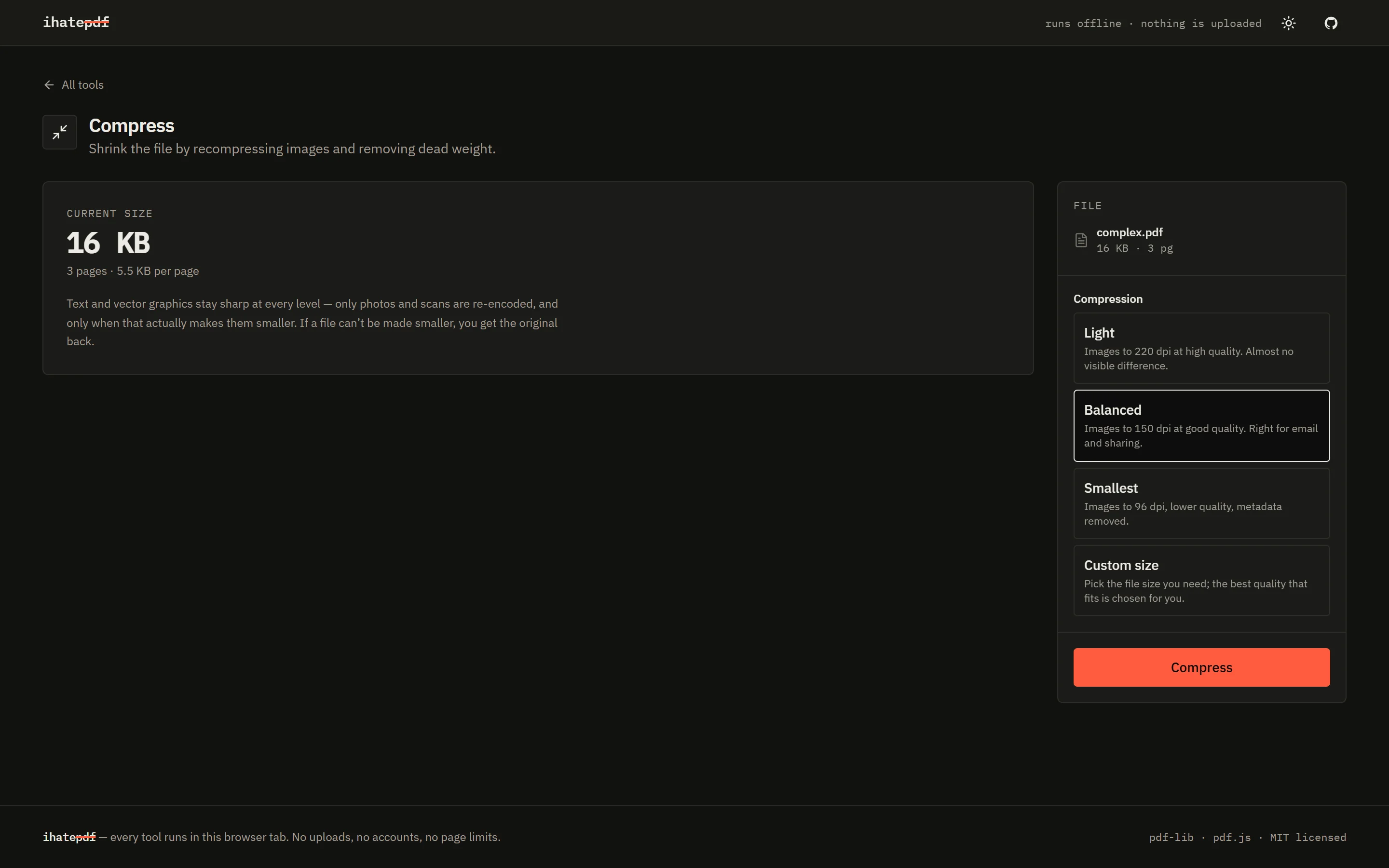
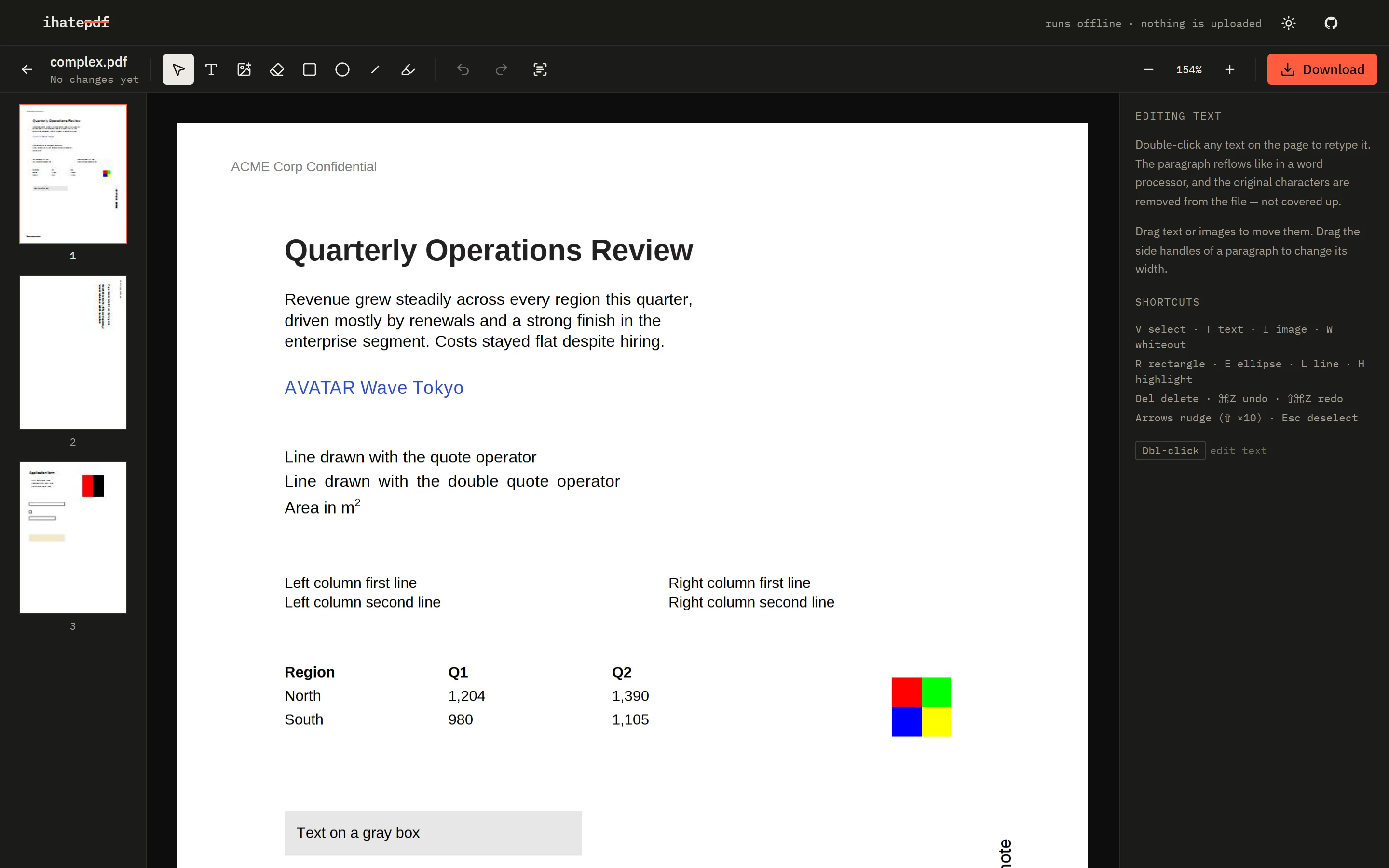
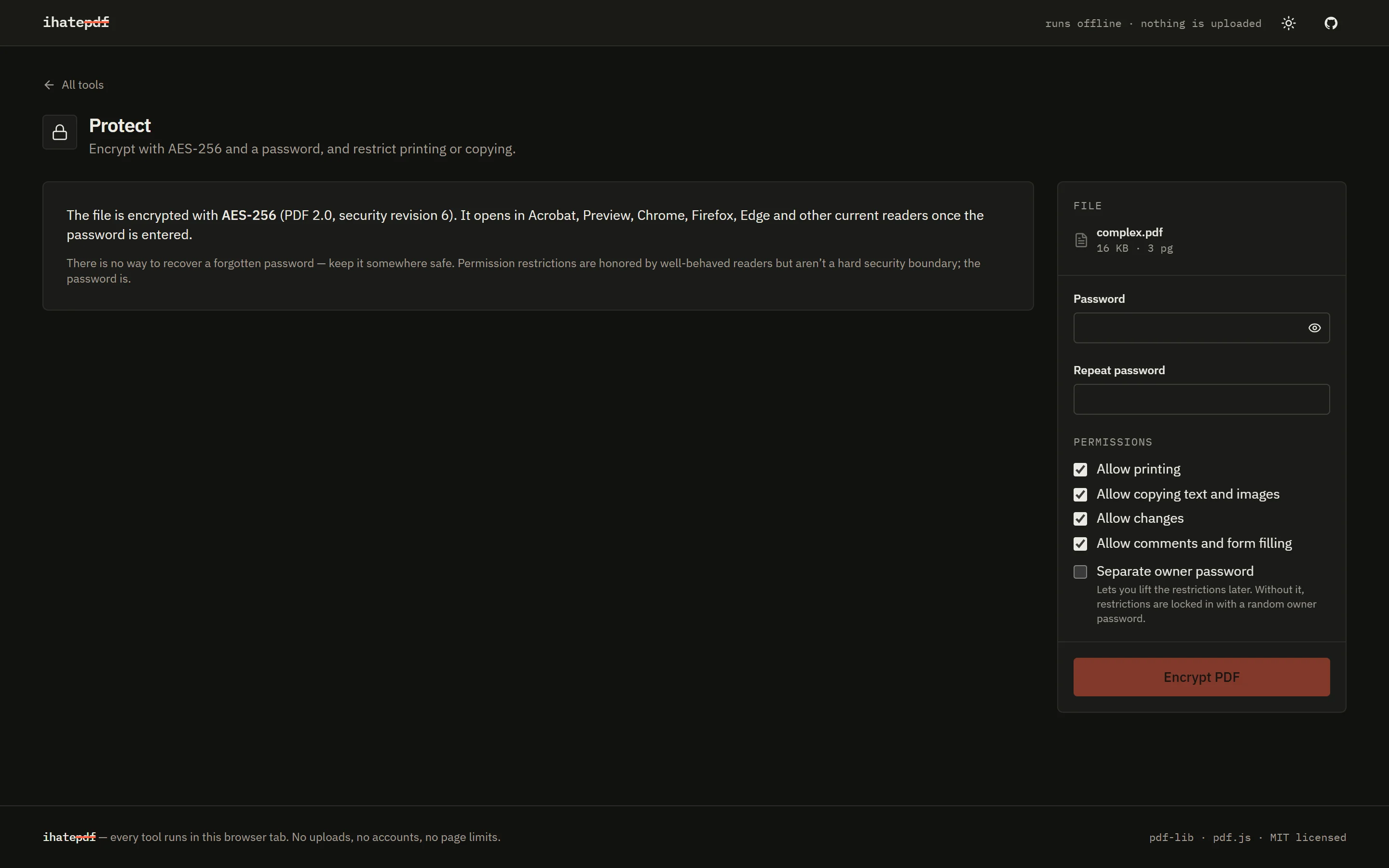
IHatePDF: screens, test evidence, and architecture

IHatePDF is tested as a product, not just a demo. The published report covers tool flows, file outputs, privacy checks, and constrained-memory behavior.

IHatePDF compression settings screen
Compression controls
IHatePDF text editing screen
In-place text editing
IHatePDF protection screen
Local document protection
EvidenceResult
35.5 MB scanned PDF at 2 MB target1.95 MB output, processed locally
Test report80 checks passing; no network requests
StackReact, TypeScript, WebAssembly, pdf-lib, pdf.js, Electron
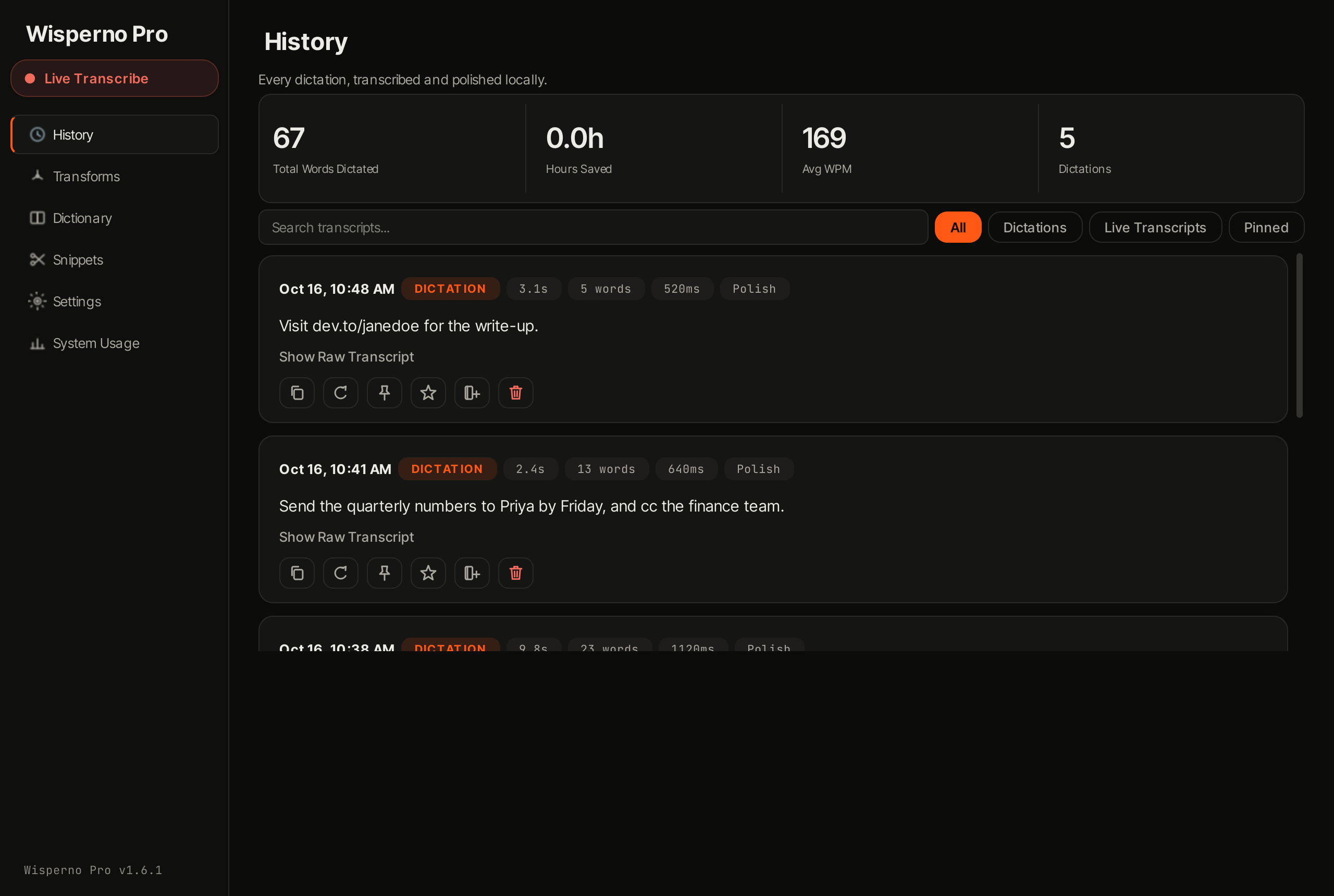
Wisperno Pro: product screens and local-GPU benchmarks

Wisperno Pro keeps the entire dictation path on-device. The benchmark results below are from the documented local RTX 4070 Laptop GPU setup.

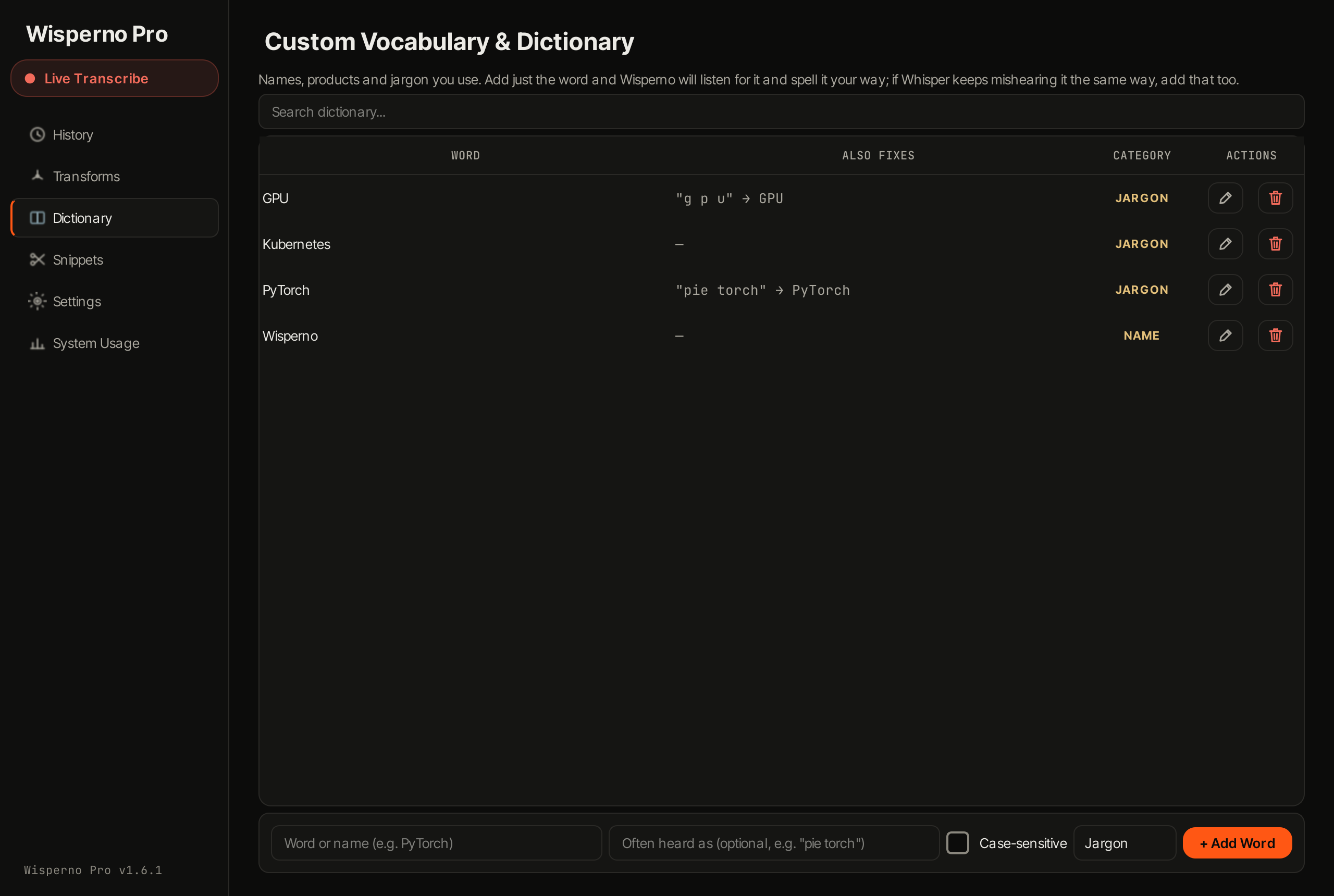
Wisperno Pro local history screen
Searchable local history
Wisperno Pro custom dictionary
Custom dictionary
Wisperno Pro floating dictation pill states
Focus-preserving control states
MeasureDefault Turbo Flagship preset
100-word dictation0.85 s
Decode speed / cleanup accuracy110.2 tok/s / 98.3%
Local stackPython, PySide6, CUDA, faster-whisper, llama.cpp
Jarvis: product screens and measured results

Jarvis keeps the whole assistant on the laptop. Numbers below are lab measurements from the build laptop, an RTX 4070 Laptop GPU.

MeasureResult
End of speech to actionabout 650 ms
Click on a native window42 ms
StackPython, faster-whisper, llama.cpp, Kokoro, pywebview

Let’s talk

Tell me what you are working on, or just say hello. I reply within 1 to 2 business days.

I only use these details to reply to you.